Choosing among the best WiFi routers means weighing wireless generation, wired ports, coverage needs and whether you need a home or travel setup. These picks range from compact public-WiFi routers to tri-band gaming models, with practical differences in bands, mesh options and device capacity.
Quick Top Products
TP-Link Archer AXE75
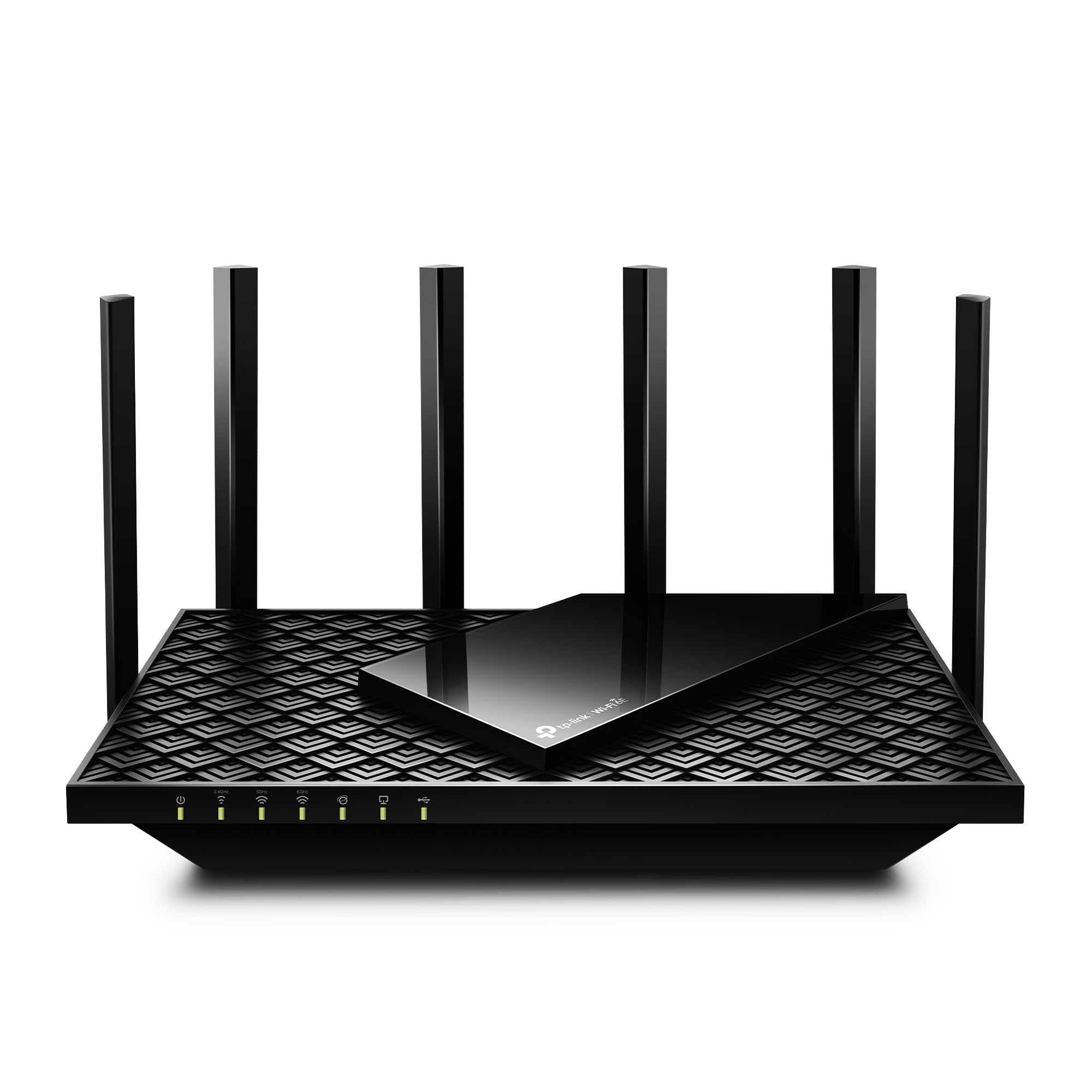
- Tri-band WiFi 6E includes a 6 GHz band.
- Advertised combined WiFi speeds reach up to 5,400 Mbps.
- One 2.5 Gbps WAN port and OneMesh extender support.
Best For: Households that want a dedicated 6 GHz band and tri-band WiFi 6E.

TP-Link Archer BE400
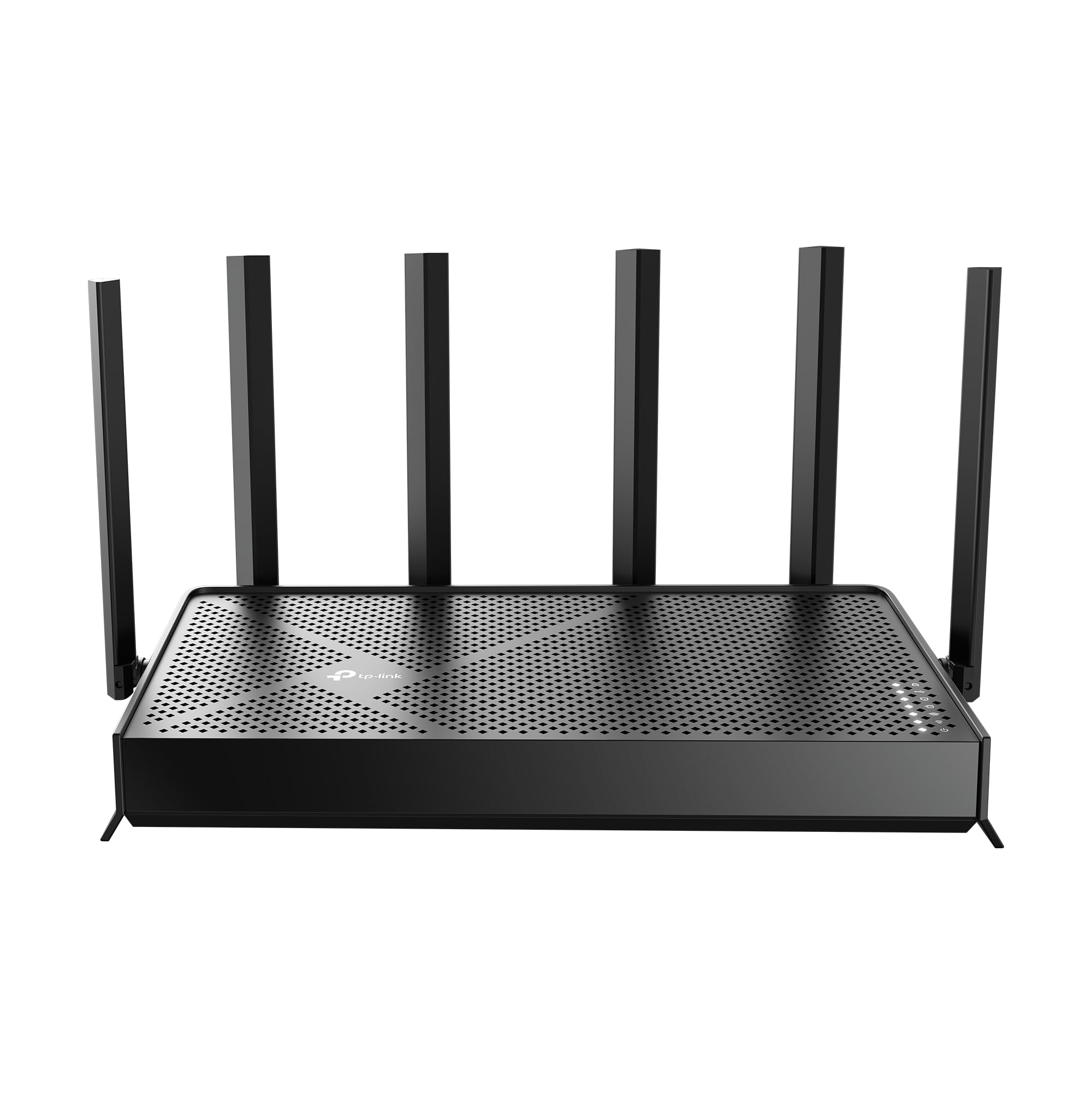
- Dual-band WiFi 7 with advertised combined bandwidth up to 6.5 Gbps.
- Two 2.5 Gbps ports plus three 1 Gbps LAN ports.
- Stated coverage up to 2,400 square feet for up to 90 devices.
Best For: Busy homes seeking WiFi 7, dual 2.5 Gbps ports and stated coverage for up to 90 devices.
TP-Link Archer BE230
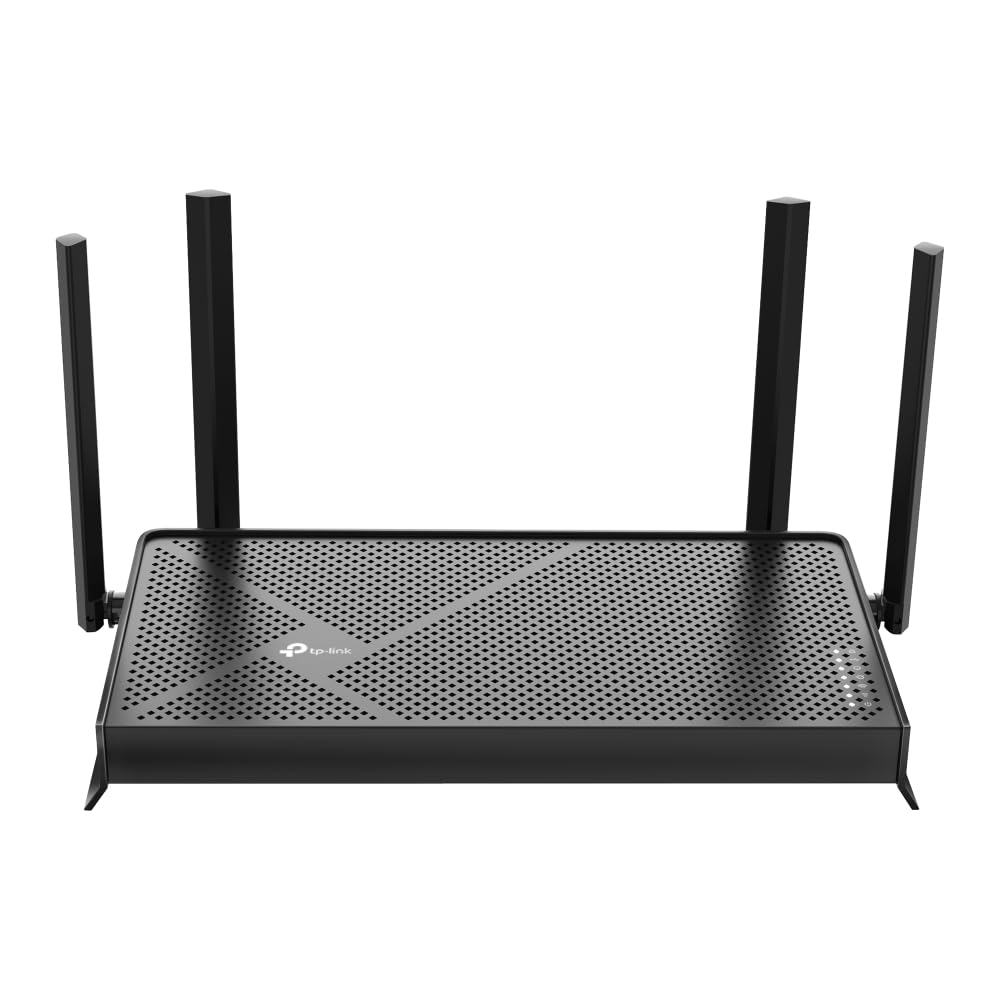
- Dual-band WiFi 7 with MLO, Multi-RUs and 4K-QAM.
- Two 2.5 Gbps ports and three 1 Gbps LAN ports.
- Stated coverage up to 2,000 square feet for up to 60 devices.
Best For: Homes upgrading to WiFi 7 that need 2.5 Gbps wired links and mesh expansion.
TP-Link Archer GE800
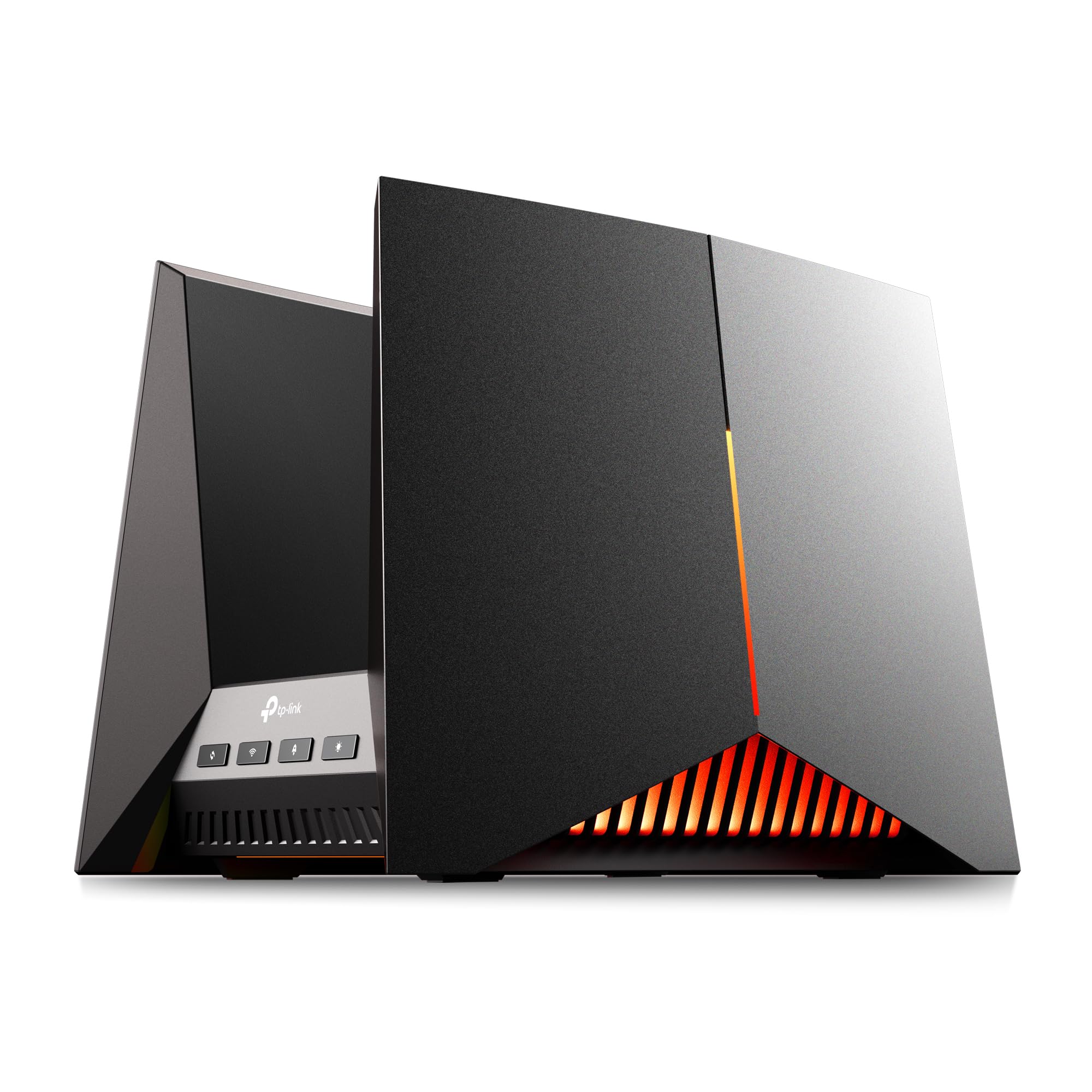
- Tri-band WiFi 7 with advertised speeds up to 19 Gbps.
- Two 10 Gbps and four 2.5 Gbps wired ports.
- Includes gaming acceleration, a dedicated gaming port and a performance panel.
Best For: Gaming households with multi-gig wired equipment and a need for extensive port capacity.
TP-Link Archer BE600
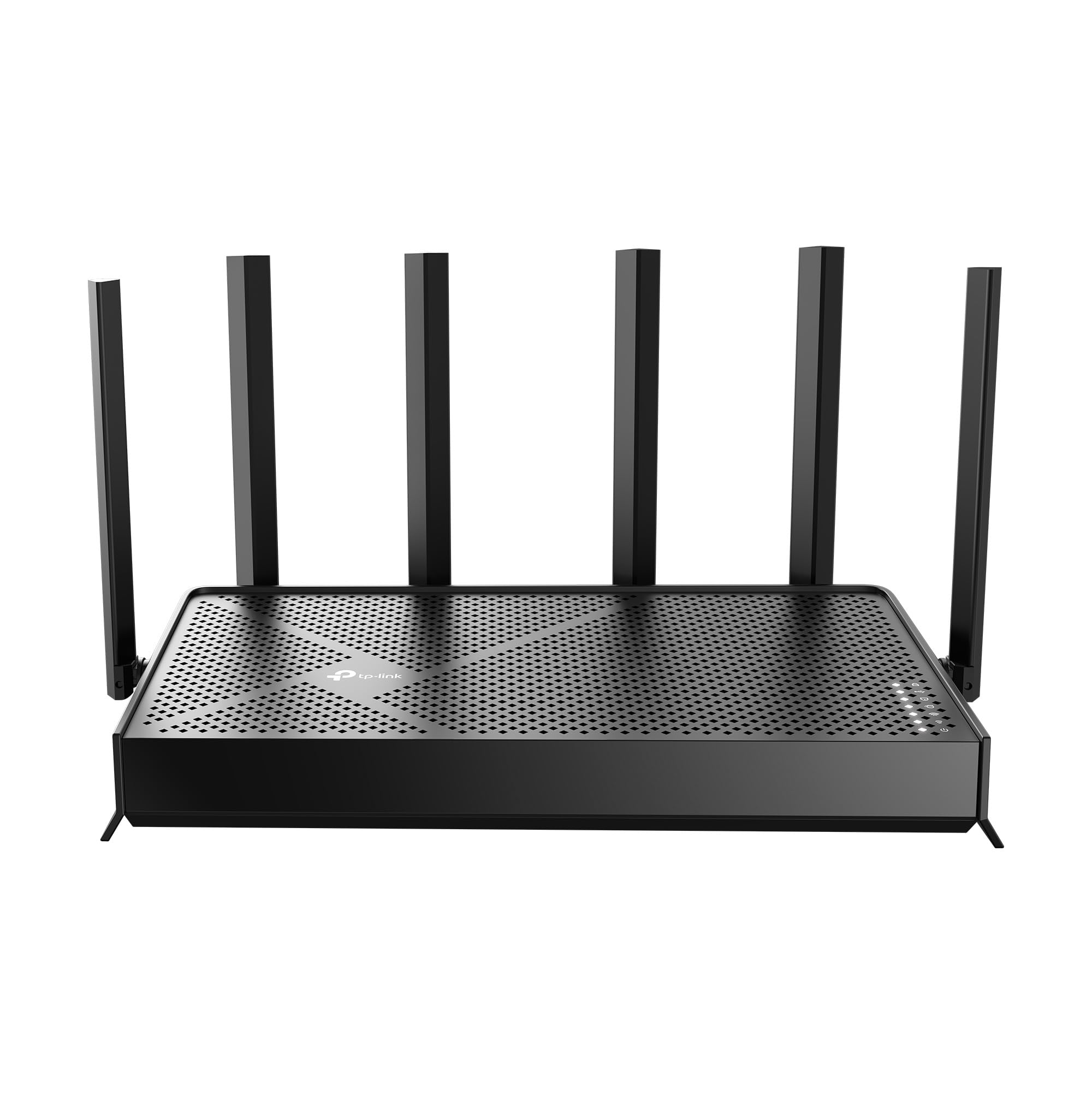
- Tri-band WiFi 7 includes 6 GHz and channels up to 320 MHz.
- Stated coverage up to 2,600 square feet for up to 120 devices.
- One 10 Gbps and four 2.5 Gbps ports.
Best For: Larger or device-dense homes seeking tri-band WiFi 7 and 10 Gbps wired connectivity.
TP-Link Deco 7 BE23
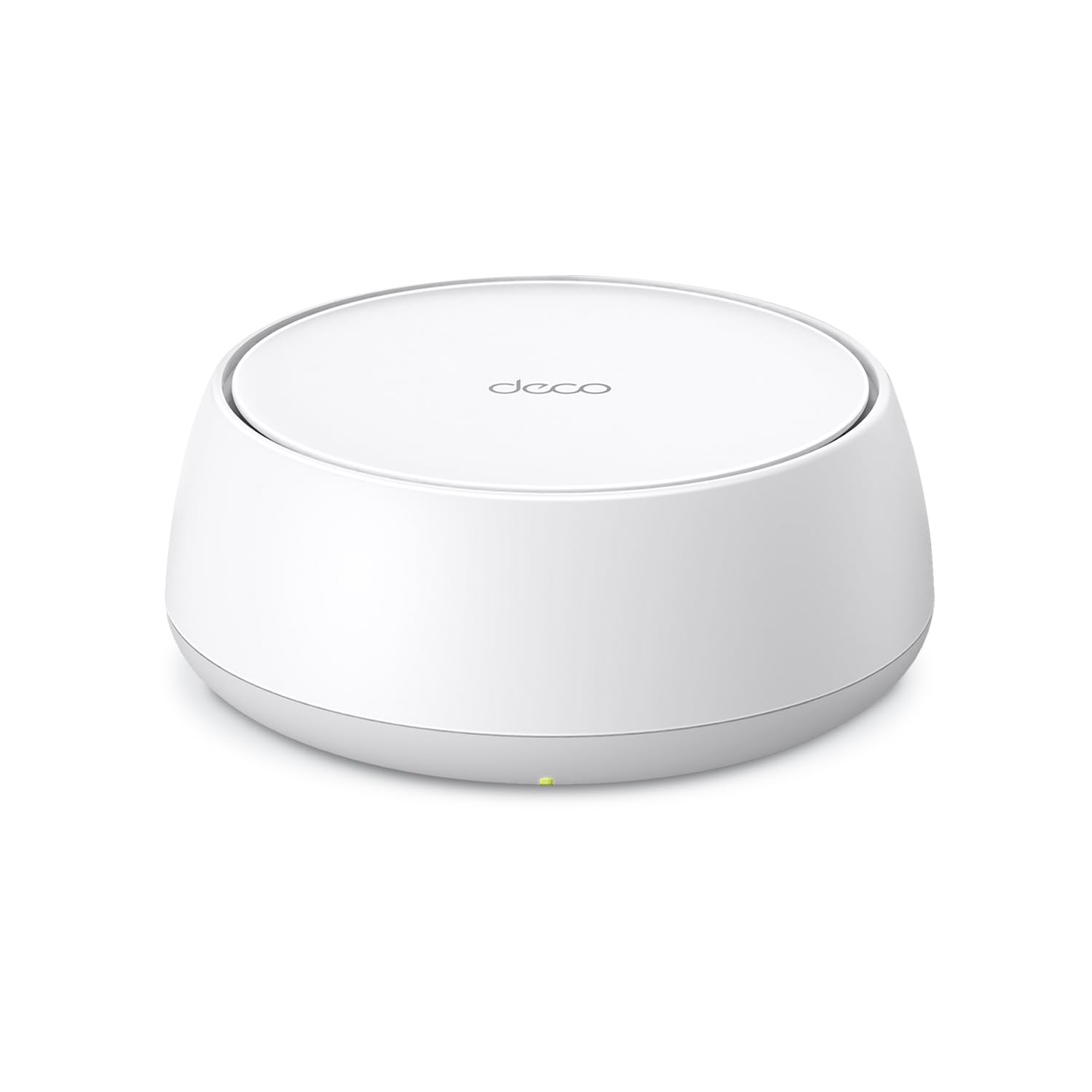
- WiFi 7 dual-band router with MLO and advertised speeds up to 3.6 Gbps.
- One-pack stated coverage up to 2,500 square feet for up to 150 devices.
- Two 2.5 Gbps WAN/LAN ports with wired backhaul support.
Best For: Households wanting a Deco mesh starting point with WiFi 7 and wired backhaul support.
TP-Link Archer GE650
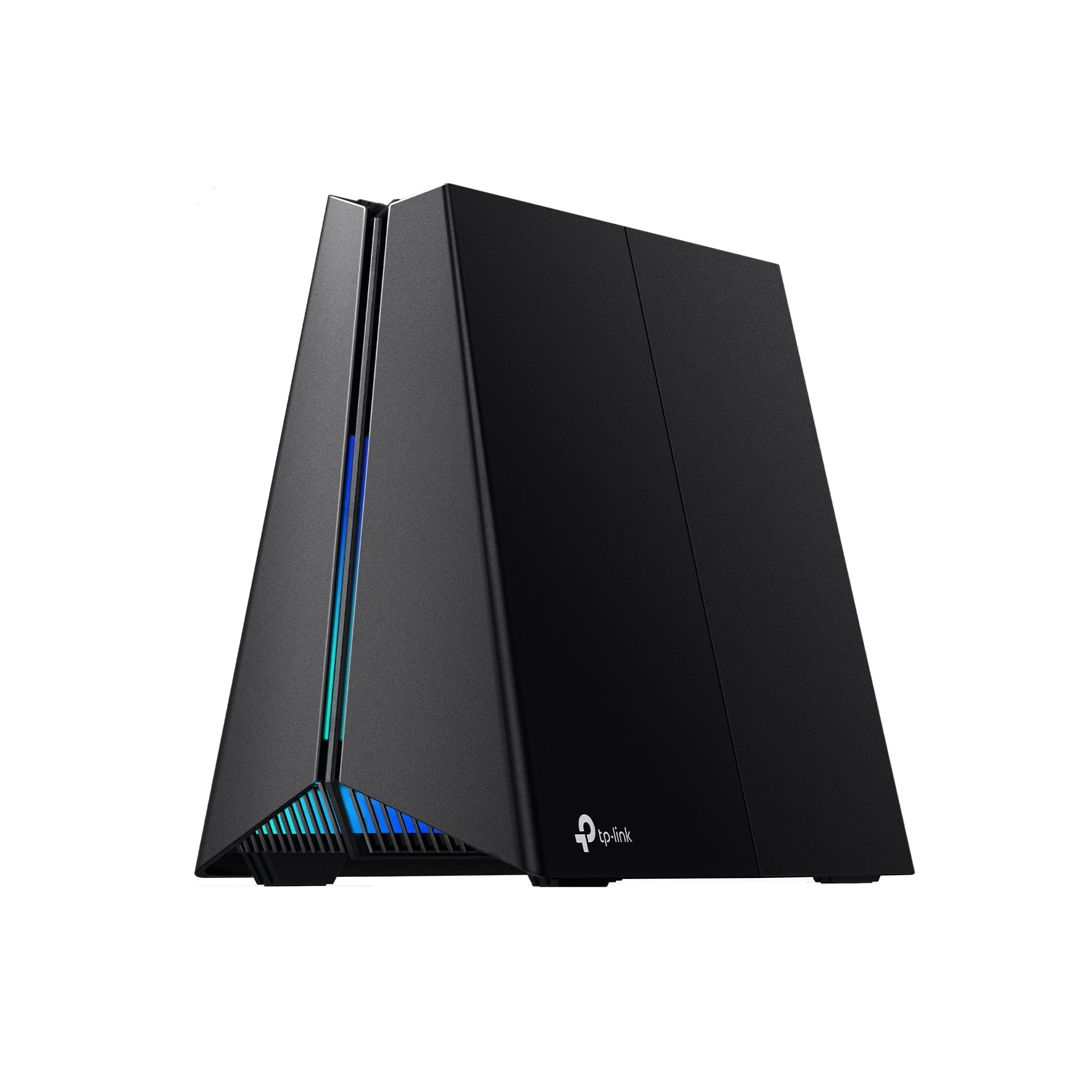
- Tri-band WiFi 7 with a dedicated 5 GHz gaming band.
- One 5 Gbps WAN, one 5 Gbps LAN and three 2.5 Gbps LAN ports.
- Includes game acceleration and a dashboard with traffic controls.
Best For: Gamers who want a tri-band WiFi 7 router with a dedicated gaming band and traffic tools.
Tenda RX12 Pro V3.0
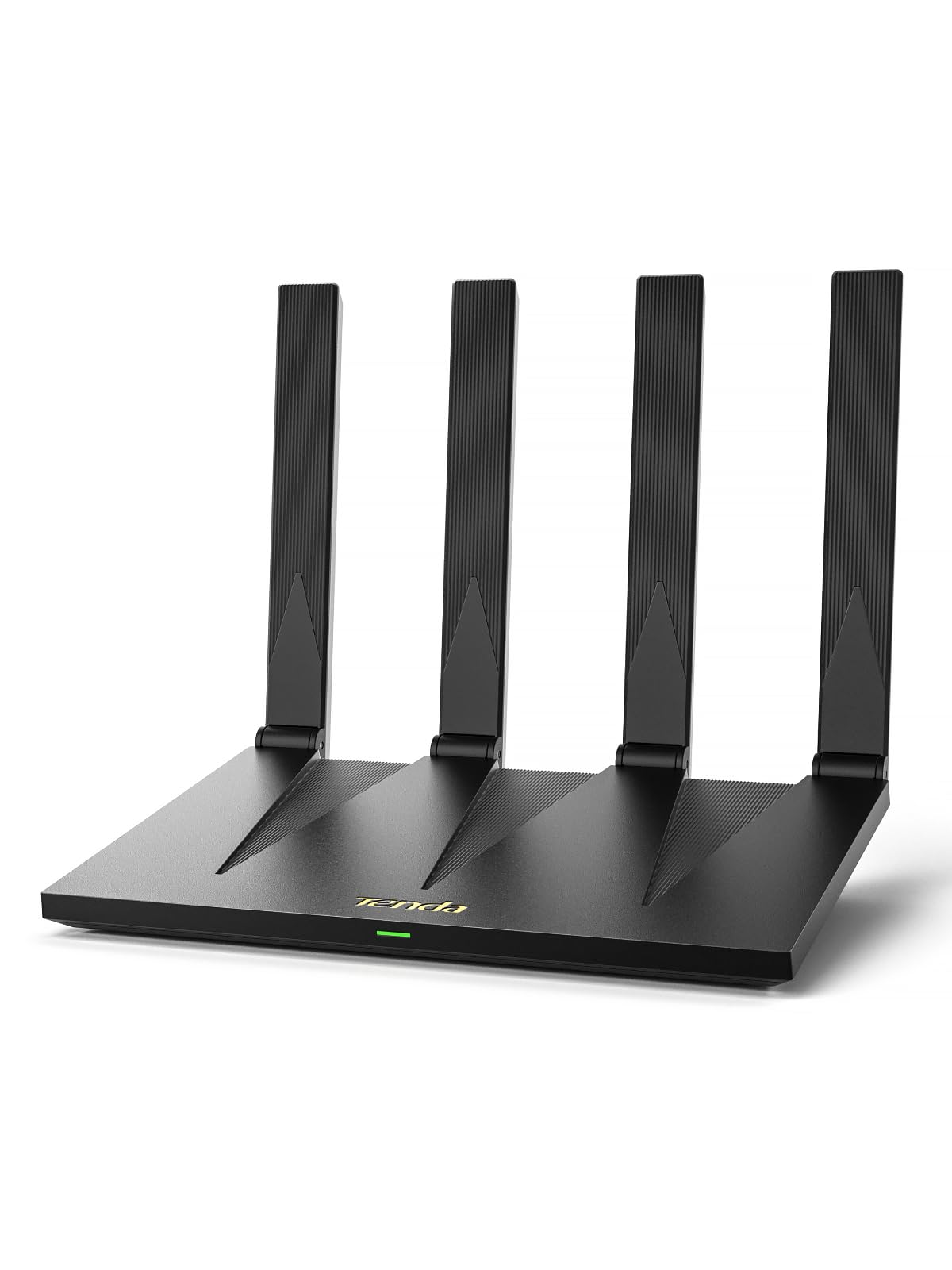
- Dual-band WiFi 6 with advertised speeds up to 2,976 Mbps combined.
- Four gigabit ports with automatic WAN/LAN detection.
- Includes VPN, mesh and AP modes, plus NFC tap-to-connect for compatible Android phones.
Best For: Budget-minded households needing WiFi 6, gigabit ports and VPN capabilities.
TP-Link Roam 7 BE3600
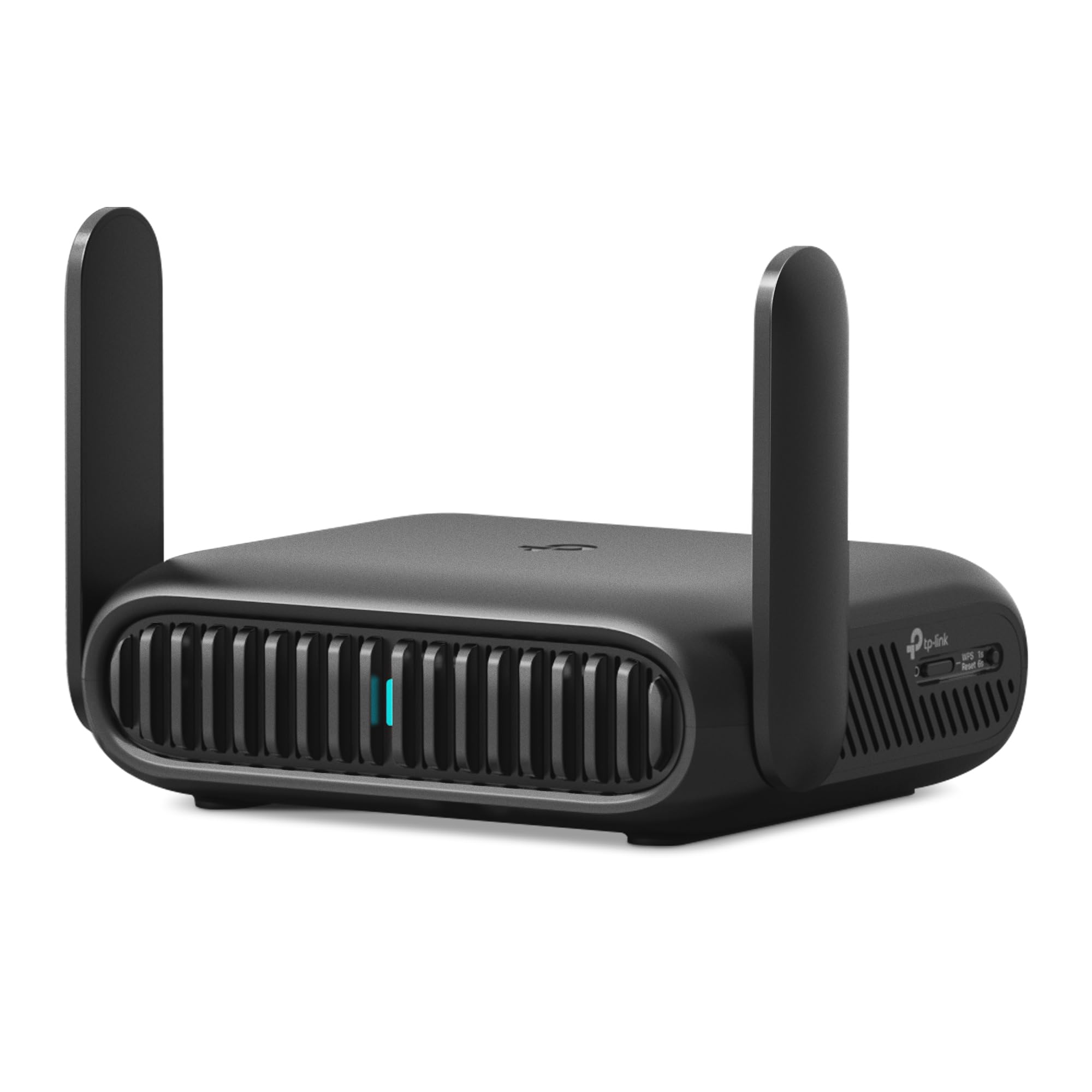
- Portable WiFi 7 router with public-WiFi sharing and captive-portal login.
- Supports up to 90 devices and several connection modes.
- Includes a 2.5 Gbps WAN port and OpenVPN and WireGuard support.
Best For: Travelers who want to share hotel or public WiFi through a private network for multiple devices.
TP-Link Roam 6 AX1500
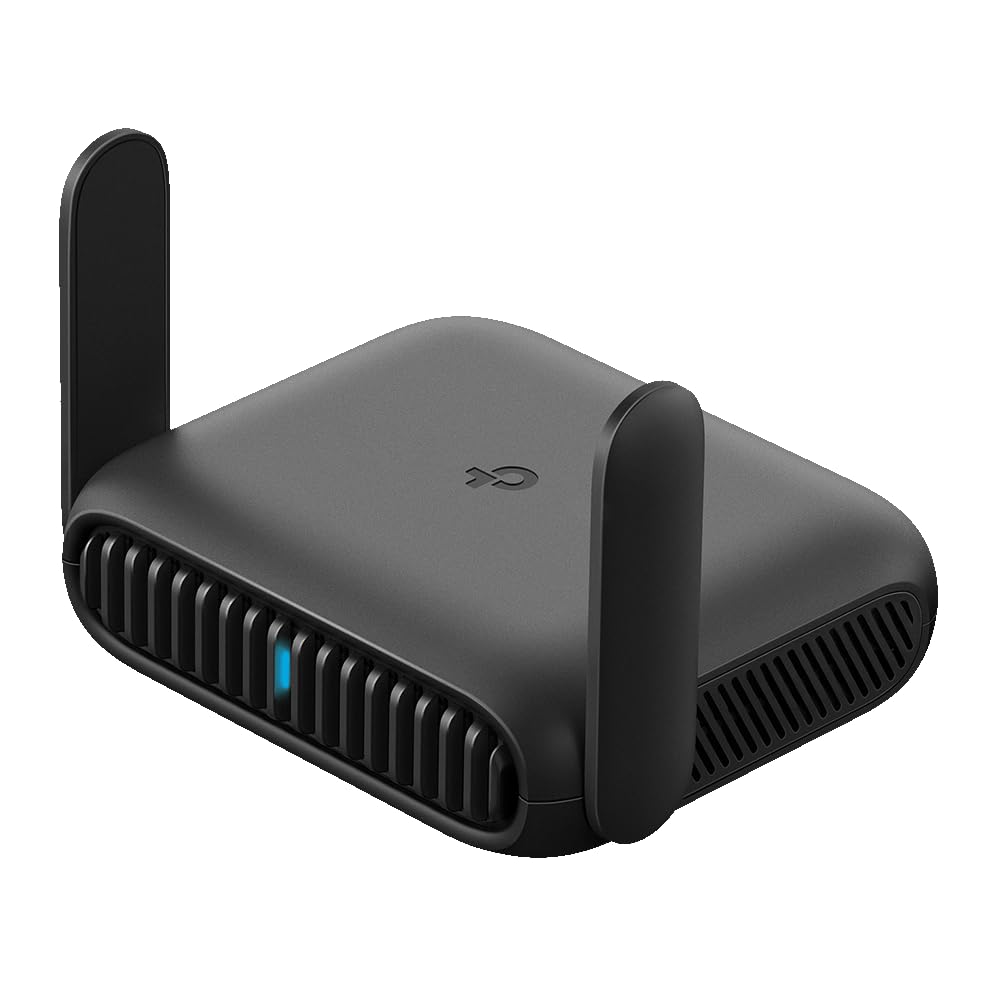
- Pocket-sized WiFi 6 travel router supports up to 60 devices.
- Public WiFi sharing with one-step captive-portal authentication.
- USB-C power and OpenVPN and WireGuard support.
Best For: Travelers wanting a pocket-sized WiFi 6 router for public hotspots and USB tethering.
6 GHz WiFi 6E Flexibility
TP-Link AXE5400 Tri-Band WiFi 6E Router (Archer AXE75), 2025 PCMag Editors' Choice, 2.5Gbps WAN Port for Gaming & Streaming, 6GHz Band, 160MHz, OneMesh, Dual-Core CPU, VPN & WPA3 Security
The Archer AXE75 brings WiFi 6E to a home router with three bands: 6 GHz, 5 GHz and 2.4 GHz. Its combined advertised throughput is up to 5,400 Mbps, with 2,402 Mbps on both 6 GHz and 5 GHz and 574 Mbps on 2.4 GHz.
OFDMA is intended to help the router handle more simultaneous device transmissions. A 2.5 Gbps WAN port provides a faster link to compatible internet equipment, while OneMesh support allows expansion with a compatible TP-Link extender.
This is a useful fit when you want 6 GHz access but do not need the newer WiFi 7 features found on several other picks.
Best For: Households that want a dedicated 6 GHz band and tri-band WiFi 6E.
| Pros | Cons |
|---|---|
|
|
Choose the AXE75 if you want tri-band WiFi 6E and a 2.5 Gbps WAN connection without moving to WiFi 7. It also includes VPN client and server support and basic HomeShield features.
Check that your devices can use 6 GHz to benefit from that band, and confirm your modem and internet plan match the WAN connection you intend to use. Its listed expansion path is OneMesh with a compatible TP-Link extender.
WiFi 7 With Broad Device Support
TP-Link BE6500 Dual-Band WiFi 7 Router (BE400) – Dual 2.5Gbps Ports, USB 3.0, Covers up to 2,400 sq. ft., 90 Devices, Quad-Core CPU, HomeShield, Private IoT, Free Expert Support
The Archer BE400 is a dual-band WiFi 7 router with up to 6.5 Gbps of combined bandwidth: 5,764 Mbps on 5 GHz and 688 Mbps on 2.4 GHz. It supports Multi-Link Operation, Multi-RUs and 4K-QAM, features intended for compatible WiFi 7 devices.
Six antennas and beamforming accompany a stated coverage area of up to 2,400 square feet and support for up to 90 devices. Wired connections include one 2.5 Gbps WAN/LAN port, one 2.5 Gbps LAN port and three 1 Gbps LAN ports.
EasyMesh compatibility offers an expansion path if one router does not cover the home.
Best For: Busy homes seeking WiFi 7, dual 2.5 Gbps ports and stated coverage for up to 90 devices.
| Pros | Cons |
|---|---|
|
|
Consider the BE400 if you want WiFi 7 and more 2.5 Gbps wired connectivity than a basic home router, while keeping a dual-band design. Its stated device capacity and coverage may suit a busy household, though real coverage depends on the home's layout and obstacles.
Check whether your clients can use WiFi 7 and whether your modem and service can make use of the faster WAN connection. EasyMesh-compatible equipment can extend the network.
Affordable WiFi 7 With Multi-Gig Ports
TP-Link Dual-Band BE3600 Wi-Fi 7 Router Archer BE230 | 4-Stream | 2×2.5G + 3×1G Ports, USB 3.0, 2.0 GHz Quad Core, 4 Antennas | VPN, EasyMesh, HomeShield, MLO, Private IOT | Free Expert Support
The Archer BE230 is a dual-band WiFi 7 router with advertised speeds up to 2,882 Mbps on 5 GHz and 688 Mbps on 2.4 GHz. It includes Multi-Link Operation, Multi-RUs and 4K-QAM, but it does not support 6 GHz.
Its wired layout pairs one 2.5 Gbps WAN/LAN port and one 2.5 Gbps LAN port with three 1 Gbps LAN ports. TP-Link gives a maximum coverage figure of up to 2,000 square feet and support for up to 60 devices.
EasyMesh support can help extend coverage, and a Tether app is available for setup and management.
Best For: Homes upgrading to WiFi 7 that need 2.5 Gbps wired links and mesh expansion.
| Pros | Cons |
|---|---|
|
|
The BE230 suits buyers who want WiFi 7 functions and 2.5 Gbps wired connectivity in a dual-band router. Compared with the BE400, its stated coverage and device capacity are lower, and it has four internal antennas rather than six.
The model does not offer 6 GHz, so check whether that band matters for your devices before choosing it. Its EasyMesh compatibility provides a way to expand coverage with compatible equipment.
High-Capacity Wired Gaming Setup
TP-Link Tri-Band BE19000 Wi-Fi 7 Gaming Router Archer GE800 | 12-Stream | 2×10G + 4×2.5G Ports, USB 3.0 | Turbo Acceleration, Dedicated Gaming Port & Panel, RGB Lighting, HomeShield, Free Expert Help
The Archer GE800 is a tri-band WiFi 7 gaming router with advertised combined wireless speeds up to 19 Gbps across 12 streams. It supports 320 MHz channels and Multi-Link Operation.
Its wired layout is especially distinctive: two 10 Gbps ports and four 2.5 Gbps ports give a multi-gig setup several connection options. Gaming-oriented features include a dedicated gaming port, acceleration tools and a performance panel for viewing network and router information.
Customizable RGB lighting gives it a visible gaming aesthetic. EasyMesh compatibility supports expansion with compatible routers or extenders, though the supplied details do not give a coverage area or device capacity.
Best For: Gaming households with multi-gig wired equipment and a need for extensive port capacity.
| Pros | Cons |
|---|---|
|
|
Pick the GE800 when your gaming setup can use several high-speed wired connections and you want gaming controls and status information in the router interface. The two 10 Gbps ports set it apart from the other home routers here, while its tri-band WiFi 7 design offers a different wireless configuration from dual-band picks.
Check your modem, internet plan and wired devices before paying for multi-gig capacity. EasyMesh can help extend coverage if needed.
Tri-Band WiFi 7 for Larger Homes
TP-Link Tri-Band BE9700 WiFi 7 Router (Archer BE600) – 10G Port, 2.5G Port, 3× 2.5G LAN, 320MHz Channel, Covers up to 2,600 sq. ft., 120 Devices, VPN, HomeShield Security
The Archer BE600 is a tri-band WiFi 7 router with advertised speeds up to 5,765 Mbps on 6 GHz, 2,882 Mbps on 5 GHz and 1,032 Mbps on 2.4 GHz. It supports Multi-Link Operation, Multi-RUs, 4K-QAM and channels up to 320 MHz.
Six antennas and beamforming accompany stated coverage up to 2,600 square feet for as many as 120 devices. For wired setups, it has one 10 Gbps WAN/LAN port, one 2.5 Gbps WAN/LAN port and three 2.5 Gbps LAN ports.
VPN client and server support and HomeShield features are also included.
Best For: Larger or device-dense homes seeking tri-band WiFi 7 and 10 Gbps wired connectivity.
| Pros | Cons |
|---|---|
|
|
The BE600 is a strong feature match for a home that can use tri-band WiFi 7, 6 GHz and several multi-gig wired links. Its stated coverage and device capacity are higher than the dual-band BE230, while its 10 Gbps port distinguishes it from the BE400.
Check the floor plan, compatible WiFi 7 clients and modem ports before choosing it. The advertised coverage is a maximum figure, so placement and obstacles still matter.
Single-Unit Mesh With 2.5 Gbps Ports
TP-Link Deco 7 BE23 Dual-Band BE3600 WiFi 7 Mesh Wi-Fi Router | 4-Stream 3.6 Gbps,160 Mhz | Covers up to 2,500 Sq.Ft | 2× 2.5G Ports Wired Backhaul | VPN, MLO, HomeShield, Free Expert Help, 1-Pack
This one-pack Deco 7 BE23 combines a dual-band WiFi 7 router with TP-Link's Deco mesh system. Its advertised speeds reach 2,882 Mbps on 5 GHz and 688 Mbps on 2.4 GHz, and it supports Multi-Link Operation, Multi-RUs and 4K-QAM.
The one-pack coverage figure is up to 2,500 square feet, with support for up to 150 devices. Two 2.5 Gbps WAN/LAN ports support wired devices or a wired backhaul connection.
Deco units can form a unified network, and this model supports simultaneous wireless and wired backhaul. Additional Deco units are compatible for building out coverage.
Best For: Households wanting a Deco mesh starting point with WiFi 7 and wired backhaul support.
| Pros | Cons |
|---|---|
|
|
Choose the Deco 7 BE23 if you want a mesh-compatible starting unit with two 2.5 Gbps ports and the option to add Deco nodes. Its stated coverage is for one pack, so larger or more complex homes may need additional units.
The dual-band design means it does not provide a dedicated 6 GHz band. Before buying, decide whether you want a single router-style setup or a multi-node Deco network, and check your wired backhaul needs.
Dedicated Gaming Band and Game Controls
TP-Link Tri-Band BE11000 Wi-Fi 7 Gaming Router Archer GE650 | 6-Stream 11 Gbps supports 320MHz | 2×5G + 3×2.5G Ports USB 3.0 | Game Acceleration, Dedicated Gaming Port & Panel, RGB Lighting|HomeShield
The Archer GE650 is a tri-band WiFi 7 router with advertised speeds up to 5,764 Mbps on 6 GHz, 4,320 Mbps on 5 GHz and 574 Mbps on 2.4 GHz. Its 5 GHz gaming band is intended to separate gaming traffic from other household use, while Multi-Link Operation can use the three bands together.
Wired connections include one 5 Gbps WAN port, one 5 Gbps LAN port and three 2.5 Gbps LAN ports. The gaming panel offers network and router information, traffic prioritization and RGB controls.
It also supports EasyMesh-compatible expansion.
Best For: Gamers who want a tri-band WiFi 7 router with a dedicated gaming band and traffic tools.
| Pros | Cons |
|---|---|
|
|
The GE650 is aimed at gaming households that want to prioritize game traffic and connect a few wired devices above gigabit speeds. It has fewer and slower high-speed ports than the GE800, but still offers one 5 Gbps WAN and LAN connection plus three 2.5 Gbps LAN ports.
Check whether the dedicated gaming band and dashboard controls match your setup, and confirm your modem and devices can use the faster wired links.
Budget WiFi 6 With VPN Support
Tenda AX3000 WiFi 6 Router,Dual-Band Gigabit Wireless Internet Router, Mesh & AP Mode, Built-in VPN, NFC Tap-to-Connect, OFDMA MU-MIMO, Secure IoT Network for Home Gaming & 4K Streaming(RX12 Pro V3.0)
The Tenda RX12 Pro V3.0 is a dual-band WiFi 6 router with advertised speeds up to 2,402 Mbps on 5 GHz and 574 Mbps on 2.4 GHz. OFDMA and MU-MIMO are included to manage traffic across multiple devices, and the product details give a capacity of over 100 devices.
Four gigabit ports use automatic WAN/LAN detection for wired connections. The router also supports mesh and access point modes, plus a separate IoT network and VPN protocols including OpenVPN and WireGuard via a firmware update.
NFC tap-to-connect is available for compatible Android phones. It requires a separate modem or ISP gateway for internet access.
Best For: Budget-minded households needing WiFi 6, gigabit ports and VPN capabilities.
| Pros | Cons |
|---|---|
|
|
The RX12 Pro V3.0 suits a straightforward WiFi 6 setup where gigabit wired connections and VPN support are priorities. Its dual-band speeds are lower than the WiFi 7 and WiFi 6E choices, but it includes useful network modes and a separate IoT network.
Check firmware for WireGuard support and confirm your phone supports NFC if that feature matters. You will also need a separate modem or ISP gateway.
WiFi 7 Travel and Public Hotspots
TP-Link Roam 7 BE3600 Wi-Fi 7 Portable Travel Router | Dual-Band, 2.5G Port, USB 3.0 | Multi-Modes in One | OpenVPN, WireGuard® | Public WiFi Sharing for Hotel/Cruise/RV/Plane | No 6 GHz | TL-WR3602BE
The Roam 7 BE3600 is a portable dual-band WiFi 7 router designed to create a private network from public WiFi. Its hotspot mode handles captive-portal authentication through the Tether app, so connected devices can use the shared network without logging in individually.
It also offers router mode for Ethernet or USB phone tethering, plus access point, repeater and client modes. Advertised WiFi speeds reach 2,882 Mbps on 5 GHz and 688 Mbps on 2.4 GHz, with support for up to 90 devices.
The ports are one 2.5 Gbps WAN and one 1 Gbps LAN. It supports OpenVPN and WireGuard, but not 6 GHz.
Best For: Travelers who want to share hotel or public WiFi through a private network for multiple devices.
| Pros | Cons |
|---|---|
|
|
Choose the Roam 7 if public WiFi sharing and multiple connection modes are more useful than a fixed home router. Captive-portal handling can simplify connecting several devices through a hotel or similar hotspot, while VPN support adds another option for remote work.
Check that your intended phone supports USB tethering if you plan to use that mode. It is dual-band despite being WiFi 7, with no 6 GHz support.
Compact WiFi 6 Travel Router
TP-Link Roam 6 AX1500 Portable Wi-Fi 6 Travel Router Dual-Band | Easy Public WiFi Sharing | Hotel/RV/Travel Approved | Phone WiFi Tether | USB C 3.0 | Multi-Mode | OpenVPN, WireGuard® | TL-WR1512X
The Roam 6 AX1500 is a compact dual-band WiFi 6 travel router that can create a private network from public WiFi. It supports up to 60 devices, with advertised speeds up to 1,201 Mbps on 5 GHz and 300 Mbps on 2.4 GHz.
Router mode can also use an ISP connection or USB phone tethering; access point, repeater and client modes cover other travel or wired-network arrangements. One-step captive portal authentication is managed in the Tether app.
The router supports OpenVPN and WireGuard and can draw power through USB-C from the included adapter or a 5V/3A PD source such as a power bank.
Best For: Travelers wanting a pocket-sized WiFi 6 router for public hotspots and USB tethering.
| Pros | Cons |
|---|---|
|
|
The Roam 6 is a practical option when compact travel use matters more than the higher advertised speeds of the Roam 7. It supports public hotspot sharing, USB phone tethering, VPN protocols and multiple operating modes.
Its capacity is up to 60 devices, compared with up to 90 for the Roam 7, and its two ports are gigabit rather than multi-gig. Check phone tethering and power-source compatibility for your travel setup.
How to Choose Wifi Routers
How We Picked Best WiFi Routers
These ten products cover different router jobs rather than one narrow performance tier. The home choices include WiFi 6, WiFi 6E and WiFi 7 models; the portable picks focus on public WiFi sharing and travel modes.
We considered wireless bands, stated speed and coverage figures, wired port layouts, mesh compatibility and practical features such as VPN support or gaming controls.
The stated maximums are useful for comparing models, but they are not guarantees for every home. Building layout, obstacles, client devices, internet service and modem connections all affect which features you can use.
Travel routers also depend on the available hotspot or tethered connection.
Comparing Best WiFi Routers
Start with the wireless generation and bands. The Archer AXE75 adds 6 GHz through WiFi 6E, while the BE600, GE650 and GE800 use tri-band WiFi 7.
The BE400, BE230 and Deco 7 are dual-band WiFi 7 models without 6 GHz. The Tenda RX12 Pro V3.0 is WiFi 6, while the Roam 6 and Roam 7 prioritize portable use.
Port layouts separate basic home connections from multi-gig setups. The BE600 and GE800 include a 10 Gbps port, and the GE650 has 5 Gbps WAN and LAN connections.
The BE400 and BE230 each have two 2.5 Gbps ports; the Deco 7 has two 2.5 Gbps WAN/LAN ports. Match these to your modem and wired devices, since a faster router port alone does not upgrade an internet plan or client.
Coverage figures are stated maximums, so use them as a starting point alongside your floor plan. The BE600 lists up to 2,600 square feet and 120 devices, while the Deco 7 single pack lists up to 2,500 square feet and 150 devices.
EasyMesh and Deco compatibility offer ways to add equipment, but they belong to different expansion systems.
| Product | Standout features | Best for |
|---|---|---|
| TP-Link Archer AXE75Check Price |
| Households that want a dedicated 6 GHz band and tri-band WiFi 6E. |
| TP-Link Archer BE400Check Price |
| Busy homes seeking WiFi 7, dual 2.5 Gbps ports and stated coverage for up to 90 devices. |
| TP-Link Archer BE230Check Price |
| Homes upgrading to WiFi 7 that need 2.5 Gbps wired links and mesh expansion. |
| TP-Link Archer GE800Check Price |
| Gaming households with multi-gig wired equipment and a need for extensive port capacity. |
| TP-Link Archer BE600Check Price |
| Larger or device-dense homes seeking tri-band WiFi 7 and 10 Gbps wired connectivity. |
| TP-Link Deco 7 BE23Check Price |
| Households wanting a Deco mesh starting point with WiFi 7 and wired backhaul support. |
| TP-Link Archer GE650Check Price |
| Gamers who want a tri-band WiFi 7 router with a dedicated gaming band and traffic tools. |
| Tenda RX12 Pro V3.0Check Price |
| Budget-minded households needing WiFi 6, gigabit ports and VPN capabilities. |
| TP-Link Roam 7 BE3600Check Price |
| Travelers who want to share hotel or public WiFi through a private network for multiple devices. |
| TP-Link Roam 6 AX1500Check Price |
| Travelers wanting a pocket-sized WiFi 6 router for public hotspots and USB tethering. |
Choosing a Home WiFi Router for Gaming and Streaming
For a WiFi 7 gaming setup, compare the GE650 and GE800 by the wired equipment and controls you need. The GE650 includes a dedicated 5 GHz gaming band, traffic tools and 5 Gbps WAN and LAN ports.
The GE800 has two 10 Gbps and four 2.5 Gbps ports, plus a gaming panel and RGB lighting. Those port counts matter most when the modem, internet service or wired devices can use them.
For mixed household use, the BE400 and BE600 offer WiFi 7 with stated support for many devices. The BE600 adds tri-band operation and a 10 Gbps port; the BE400 is dual-band and gives two 2.5 Gbps ports.
If you want 6 GHz but prefer WiFi 6E, the Archer AXE75 is the relevant option here. Check client compatibility before making a newer band the deciding factor.
Picking a Portable WiFi Router for Travel
Travel routers solve a different problem from home routers: they can share hotel or public WiFi with several of your devices. Both Roam models support captive-portal authentication through the Tether app, plus VPN functions and USB-C power.
The Roam 7 adds WiFi 7 and a 2.5 Gbps WAN port, while the Roam 6 is pocket-sized, uses WiFi 6 and has gigabit ports. Their device capacities are up to 90 and 60 respectively.
Check how you will connect before traveling. The Roam 7 supports Ethernet or USB phone tethering in router mode and also has access point, repeater and client modes.
The Roam 6 supports public WiFi, ISP or phone tethering, with access point, repeater and client modes as well. For phone tethering, verify that your phone and plan support the connection method you intend to use.
Who Should Buy Which WiFi Router?
Choose the Archer AXE75 for tri-band WiFi 6E, the BE600 for tri-band WiFi 7 and multiple multi-gig ports, or the BE400 and BE230 for dual-band WiFi 7 configurations. The Deco 7 is the mesh-oriented choice if you want to add compatible Deco units.
The GE650 and GE800 are aimed at gaming setups, with the GE800 offering more high-speed wired ports.
For a less demanding gigabit home network, the Tenda RX12 Pro V3.0 combines WiFi 6, VPN functions and four gigabit ports. For hotel stays, remote work or travel, choose between Roam 6 and Roam 7 based on wireless generation, port speed and device capacity.
Before ordering any home router, check modem requirements, provider connection type, client compatibility and whether you need matching mesh equipment.